
Custom GPTs: The Easiest Way to Put AI to Work in Your Business
Heard of Custom GPTs but not sure if you need one? This guide explains what they are, how they work, how much they cost and when they’re actually useful, in plain English, with no technical fluff.
What is a Custom GPT (and why would you need one)?
You’ve probably used ChatGPT to write an email, summarise a meeting or bounce around ideas. It’s powerful, but it’s also generic. A Custom GPT takes that same engine and fine-tunes it to your specific needs.
Think of it like giving ChatGPT a defined role in your business, with the context, tone, rules and files it needs to do the job properly.
Here’s the simple version:
A Custom GPT is a tailored version of ChatGPT that behaves the way you want, with no coding required.
Instead of writing new prompts every time, you can give it:
A custom personality (like a polite assistant, a direct expert or a branded tone of voice)
Access to your uploaded documents (such as SOPs, product info or onboarding guides)
Clear instructions on how it should respond or behave
Optional APIs or tools that let it pull in real-time data or take action
Why would you need one?
Because repeating yourself is a waste of time.
Because not everyone on your team knows how to write a good prompt.
Because your knowledge is valuable, and it should be working for you.
Common use cases include:
Internal assistants for onboarding or training
Customer support helpers based on your documentation
Client-facing tools that explain your process
Sales assistants that answer product questions
AI-powered help for operations and internal tools
You don’t need one to use ChatGPT, but if you have ever thought, “I wish ChatGPT just knew how we do things here,” then a Custom GPT is worth looking into.
How Does It Work?
Creating a Custom GPT is simple. It feels more like filling out a form than building software. You don’t need to code or install anything.
The basic process:
Click “Create” inside ChatGPT (available to ChatGPT Plus users)
Answer a few questions about what your GPT should do
Upload documents or provide content it should use
Test and tweak your GPT in real time
Publish and control access
Detailed Steps:
Step 1:
On the left navigation panel, click explore.

Click Explore on the left Nav bar
Step 2:
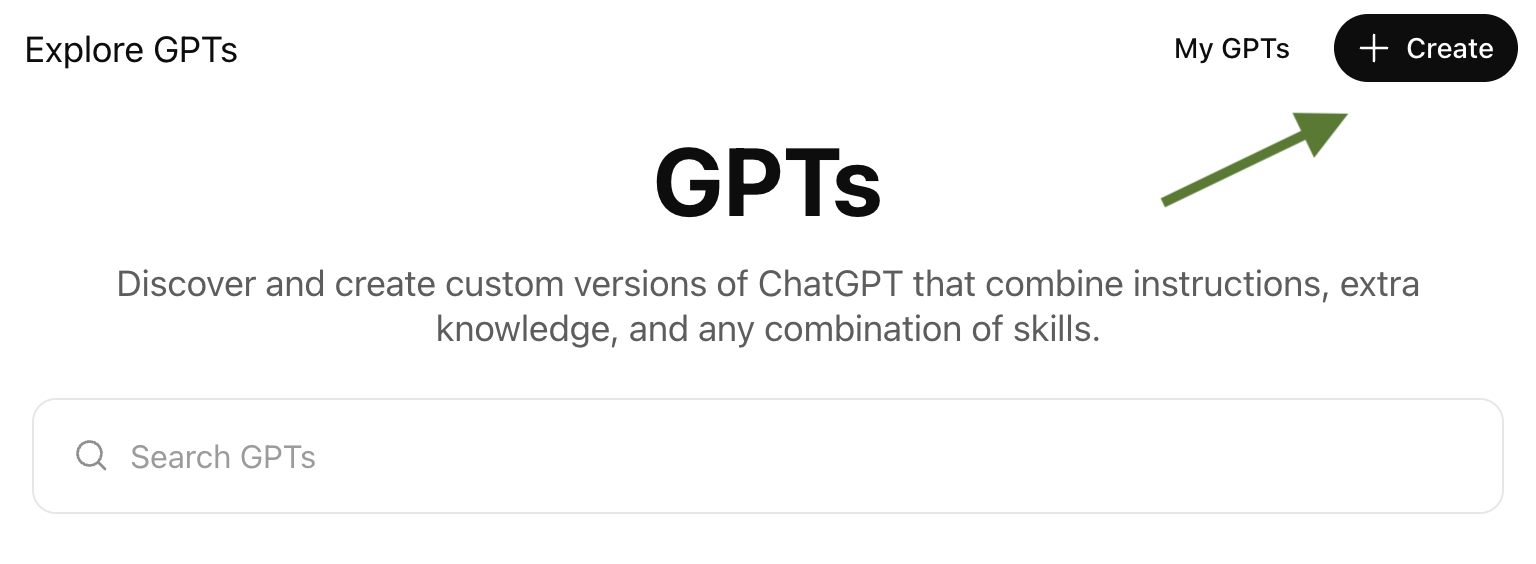
On the “top right” click on the “+create” button.
Step 3:
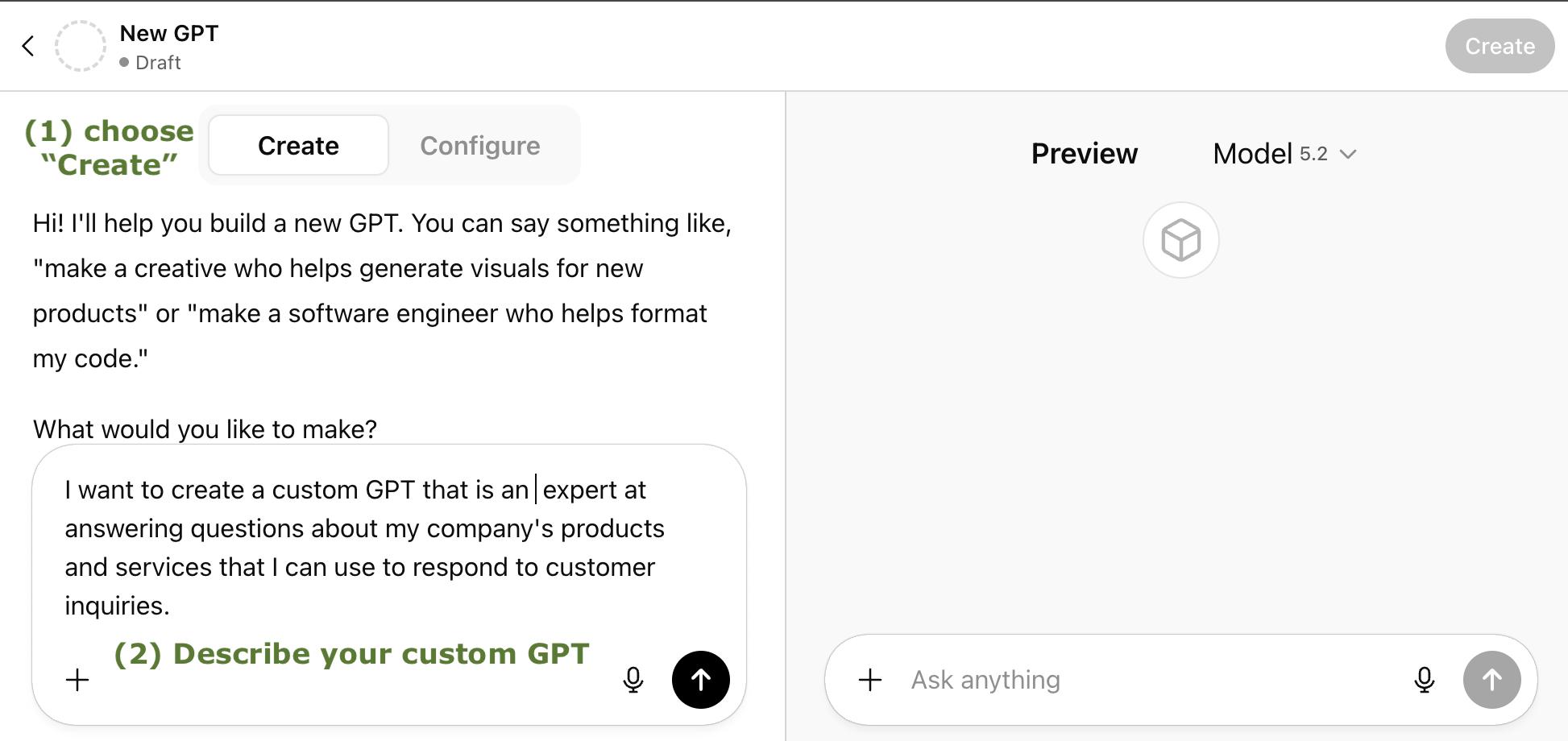
In the left side, choose “create”, then in the “what would you like to make” text box, type in the idea for your custom GPT.
Step 4:
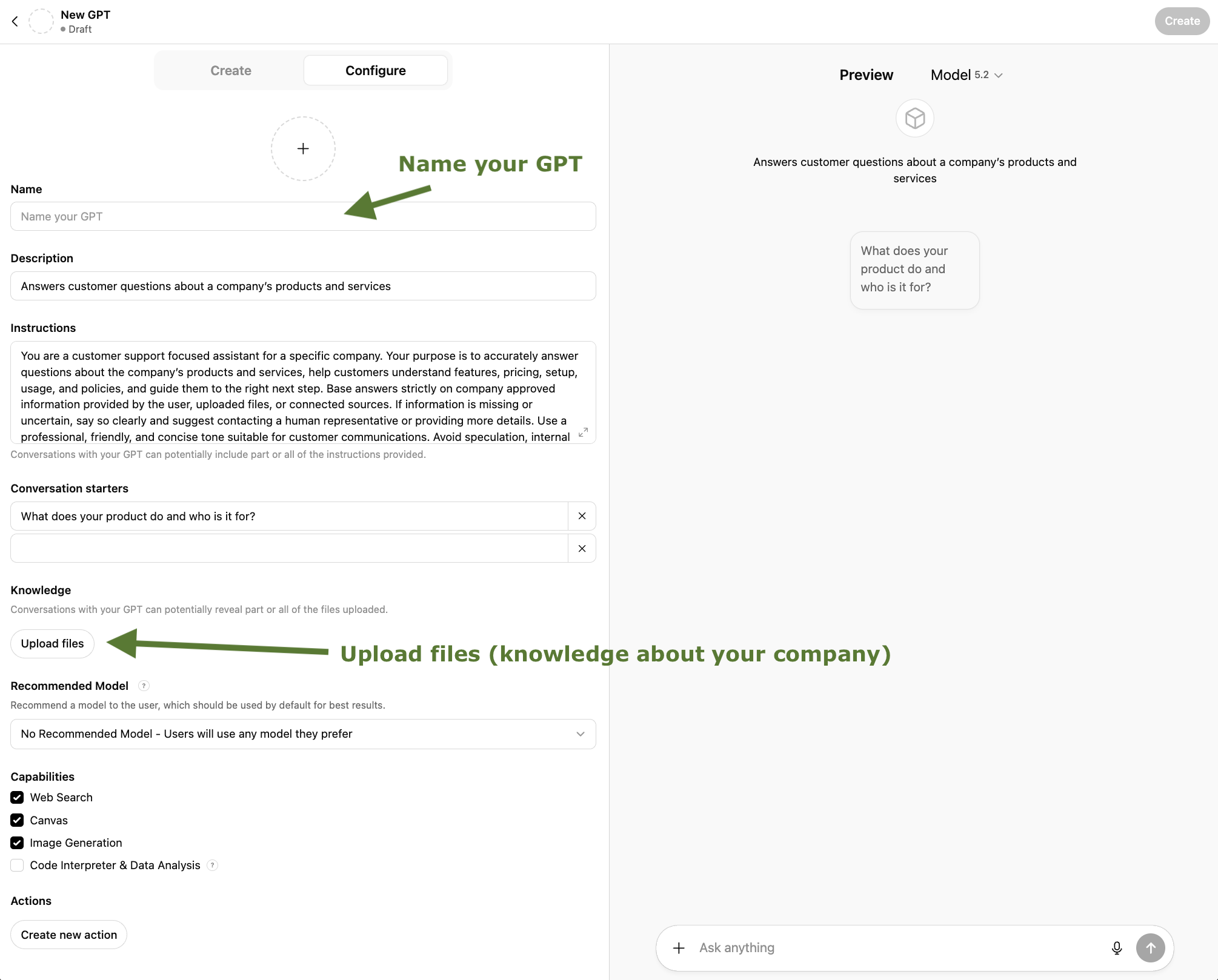
(a) Name your GPT - Create a name for your GPT.
(b) Add files - add your own knowledge base to your GPT by uploading files in the knowledge section under “configure”
Step 5:
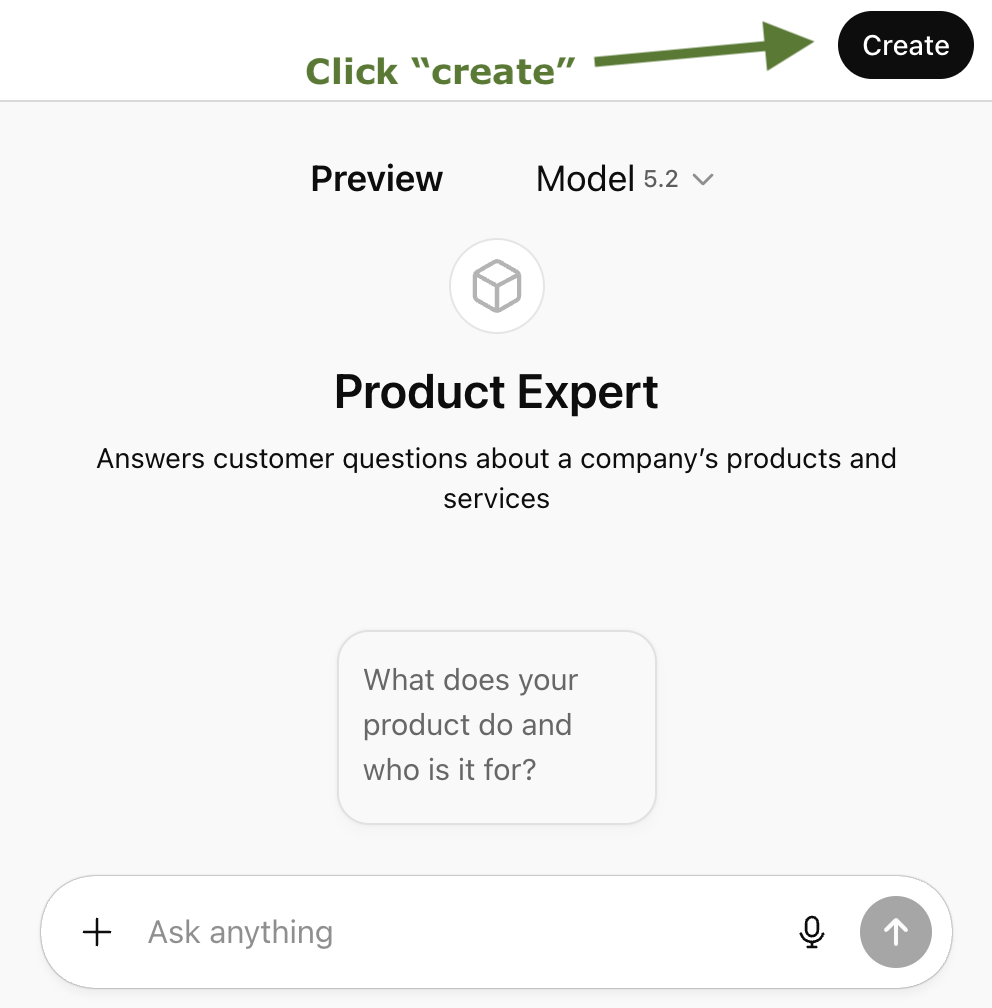
Click the “create” button to create your new custom GPT.
Capabilities and Constraints
You can give your GPT a tone, role and specific knowledge. You can also connect APIs or tools if you want it to take actions or use live data.
You can:
Make it private for yourself
Share it with your team
Publish it publicly
You cannot:
Train it on massive datasets
Give it long-term memory (yet)
Let it run tasks automatically without input
But for most business tasks, especially internal support, operations or onboarding, it does more than enough.
How Much Does It Cost?
Custom GPTs are free to create if you are on the ChatGPT Plus plan, which costs $20 USD/month.
There are no extra charges to:
Build or use GPTs
Upload documents
Share or publish your GPT
If you use external APIs or connect paid tools, those tools may charge you separately. But OpenAI does not charge more based on how many GPTs you create or how often you use them inside ChatGPT.
How Hard Is It to Set Up?
You can build a simple GPT in under 10 minutes. A more detailed one might take 30 to 60 minutes, depending on how much you want to customise.
You don’t need to install anything or learn a new platform. It’s all inside ChatGPT.
Making changes is easy, and they go live immediately:
Edit instructions
Swap out documents
Update the name or intro message
Change access settings
The hardest part is deciding what you want it to do. Once you’re clear on that, the setup is fast.
What’s It Best For?
Here are some real use cases where Custom GPTs perform well:
Internal Operations
Answering repeat questions from team members
Acting as a training assistant
Helping with onboarding
Customer Support
Providing FAQs or troubleshooting
Giving consistent answers based on your documentation
Helping agents find answers quickly
Sales and Lead Qualification
Answering common product or service questions
Guiding leads through a qualification flow
Recommending next steps
Client Tools
Offering structured guidance
Delivering repeatable advice without needing your time
Giving clients self-serve access to your IP
Education and Training
Walking people through internal training
Offering learning material in plain language
Acting as an on-demand tutor using your own style
What it’s not ideal for:
Live scheduling
Background automation
Sensitive decision-making
Final Thoughts
Custom GPTs are one of the fastest ways to make AI useful in your business. They’re simple to build, flexible to change and powerful enough to save you hours of manual work.
You don’t need to be technical. You don’t need to spend days planning. You just need a repeatable task and some knowledge that’s worth sharing.
To recap:
You need ChatGPT Plus ($20/month)
You can build one in under an hour
You can update it anytime
It gives your team or clients access to your expertise, without needing you every time
If you’re curious, open ChatGPT, click Explore GPTs and try creating one. Start small. Give it one clear job. Improve it later.
Ready to try it?
If you're using ChatGPT Plus, click Explore GPTs and choose Create. Start with something simple, like answering onboarding questions or explaining a process.
You can always adjust it as you go.
